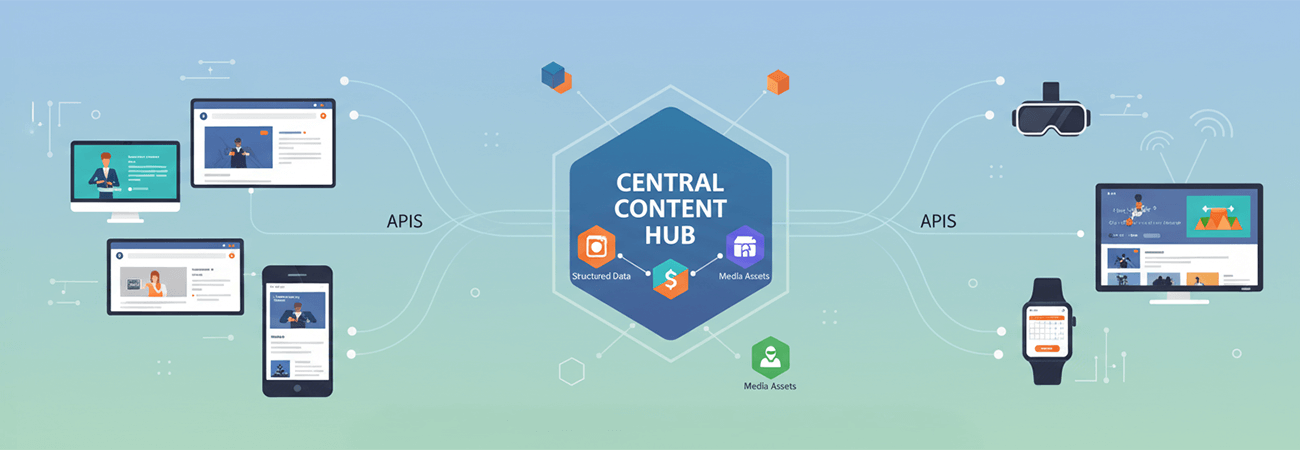
Modern digital platforms demand flexibility. Marketing teams need powerful content tools. Developers want full control over presentation and performance. The challenge? Leveraging Umbraco CMS as a content engine while rendering everything through a custom ASP.NET MVC front end.
The goal was clear:
- Use Umbraco strictly as a headless backend.
- Serve structured content, navigation, and media via APIs.
- Keep presentation entirely within MVC.
- Avoid Umbraco's native front-end rendering.
Here's how that was accomplished — including how to reference different content types, navigation structures, and even leverage templates in a headless-friendly way.
Architecture Overview
Content Editors → Umbraco CMS → Custom API Layer → .NET MVC Front-EndUmbraco becomes a structured content repository. The MVC application consumes JSON and renders the UI independently.
The real work lies in shaping content properly.
Modeling Content Types for Headless Delivery
Headless success starts in the Umbraco back office. Instead of thinking in terms of templates, think in terms of content contracts.
Example Content Types
You might define:
HomePageContentPageArticlePageProductPageNavigationItemSiteSettings
Each content type should:
- Contain only fields needed by the front end.
- Use consistent naming conventions.
- Avoid presentation-specific logic.
- Group reusable fields into compositions where appropriate.
The MVC app doesn't care how Umbraco renders. It cares about structured JSON.
Referencing Different Content Types Headlessly
In traditional Umbraco, you might traverse children and render based on document type in a Razor template. Headless requires explicit mapping.
Strategy 1: Type-Based Mapping in API Controllers
Inside your API layer:
- Fetch content by ID, route, or alias.
- Inspect the content type alias.
- Map it to a strongly typed DTO.
High-level approach:
If contentType == "homePage"    → Map to HomePageDto
If contentType == "articlePage" → Map to ArticleDto
If contentType == "productPage" → Map to ProductDto
Each DTO becomes a contract your MVC site understands. This keeps:
- CMS structure internal
- API responses predictable
- MVC rendering clean and type-safe
Strategy 2: Polymorphic Response Models
If you prefer a unified endpoint, return a BaseContentDto with a contentType discriminator and a typed payload section.
Example JSON:
{
  "contentType": "articlePage",
  "url": "/blog/my-article",
  "title": "My Article",
  "data": {
    "summary": "...",
    "body": "...",
    "author": "Nick"
  }
}
Your MVC layer switches rendering logic based on contentType.
Referencing Content Pickers & Relationships
Umbraco commonly uses content pickers, multi-node tree pickers, block lists, and nested content. In headless mode, these must be resolved manually.
Resolving Content Pickers
If an Article has a related Product picker:
- Retrieve the picked node IDs.
- Query those nodes explicitly.
- Map them into lightweight summary DTOs.
Never return raw internal IDs to the front end unless necessary.
Return:
- Title
- URL
- Image
- Summary
The front end should not perform secondary lookups.
Building Navigation Headlessly
Navigation is where many headless implementations struggle. In template-based Umbraco, navigation is inferred from content hierarchy. Headless requires explicit modeling. There are two clean approaches.
Approach 1: Hierarchy-Driven Navigation
Use the content tree (Root → Sections → Pages) with a boolean like IncludeInNavigation. Your API endpoint:
- Fetches the root node.
- Traverses children recursively.
- Filters by visibility flags.
- Builds a hierarchical DTO structure.
Example JSON:
[
  {
    "title": "About",
    "url": "/about",
    "children": [
      { "title": "Team", "url": "/about/team" }
    ]
  }
]
The MVC site renders menus without knowing anything about Umbraco internals.
Approach 2: Dedicated Navigation Content Type
For more complex needs (mega menus, external links, icons), create a Navigation content type containing:
- Navigation groups
- Link pickers
- Manual ordering
- External URLs
Your API then returns a fully curated navigation object. This is especially useful when the content tree doesn't match the menu structure, when marketing needs manual control, or when navigation differs by site section.
Handling Block Lists & Flexible Layouts
If using the Block List Editor:
- Iterate through blocks in the API.
- Detect the block type alias.
- Map each block to a front-end component DTO.
Example mappings:
HeroBlock         → HeroDto
CallToActionBlock → CtaDto
FeatureGridBlock  → FeatureGridDto
Your MVC site becomes a component renderer based on block type. This mirrors modern SPA architecture — without actually needing a SPA.
Media Handling in a Headless Setup
Media requires special care. Best practices:
- Always return absolute URLs.
- Normalize media domains across environments.
- Include width/height when useful.
- Consider returning responsive image variants if required.
Do not expose raw media IDs. Return clean URLs that the MVC site can render directly.
CORS and Cross-Origin Configuration
Since Umbraco and MVC are separate applications:
- Configure allowed origins explicitly.
- Support required HTTP verbs.
- Validate preflight requests.
- Avoid permissive wildcard origins in production.
CORS misconfiguration is the #1 blocker in headless setups.
Supporting Forms and Dynamic Interactions
You're not limited to GET endpoints. Umbraco can also expose:
- Contact form submission endpoints
- Server-side validation
- Email workflows
- CRM integrations
The MVC front end submits JSON; Umbraco processes and responds. This keeps business rules centralized while the UI remains fully custom.
Using Templates in a Headless Architecture
One common misconception about going headless is that templates become irrelevant. That's not entirely true. Even when you are not using Umbraco's front-end rendering engine, templates still serve important architectural purposes.
1. Templates as Content Type Contracts
In Umbraco, templates are tied to document types. Even if you never render the Razor view, templates:
- Define which content types are routable
- Influence URL behavior
- Help editors understand page intent
- Enforce structural discipline
By keeping templates associated with document types:
- You maintain clarity in the back office.
- You prevent accidental misuse of content types.
- You preserve Umbraco's routing integrity (even if unused).
You can treat templates as structural declarations, not rendering engines.
2. Template Aliases as Rendering Hints
An effective pattern is using the template alias as a front-end rendering hint. Example:
HomeTemplateArticleTemplateLandingPageTemplate
Your API can include:
{
  "contentType": "articlePage",
  "template": "ArticleTemplate",
  ...
}
The MVC application can use the template value to determine which Razor View or ViewComponent to render. This preserves editorial control over layout intent while still keeping rendering outside Umbraco.
3. Disabling Default Rendering While Keeping Templates
You can:
- Prevent public template rendering.
- Disable default routes if desired.
- Return 404s for standard Umbraco page requests.
This ensures:
- Umbraco never acts as the public front end.
- Only your API endpoints are exposed.
- Templates remain organizational tools.
4. Templates as Layout Identifiers for Blocks
If using Block Lists, you can:
- Assign layout types via template selection.
- Pass layout metadata to the MVC front end.
- Let MVC choose grid or layout containers accordingly.
Templates become semantic markers, not rendering artifacts.
Lessons Learned
Headless Requires Intentional Modeling
You must design document types and relationships with API delivery in mind.
Navigation Must Be Explicit
Hierarchy traversal or curated navigation models are essential.
Always Map to DTOs
Never expose raw Umbraco content objects.
Resolve Relationships Server-Side
Content pickers and blocks should be expanded before returning JSON.
Templates Still Matter
Even in headless mode, templates define structure, routing, and layout intent.
Final Takeaway
Umbraco can absolutely function as a fully capable headless CMS for a .NET MVC application.
By intentionally modeling content types, explicitly resolving relationships, leveraging templates as structural contracts, and building clean navigation endpoints, you unlock a flexible, scalable architecture:
- Editors get a powerful CMS.
- Developers get complete UI freedom.
- Deployments are decoupled.
- Performance is optimized.
Headless isn't just about APIs. It's about treating your CMS as a content platform with defined contracts, not a rendering engine.